
Discord에 2단계 인증을 구성하는 방법은 무엇인가요?
Two-step authentication 또는 2FA has become one of the most effective ways to keep our digital accounts safe and secure on the platforms or services we use. So it's really not surprising that we can set up two-step authentication for Discord to keep our account secure.
Through the two-step authentication, even if someone knows our Discord password, they will not be able to access the account because they will need the code that will be sent to them in order to perform the second authentication and enter the account.

Two-step authentication setting steps in Discord
Now we will explain step by step how you can set up this security measure in your account:
- Open the Discord program on your PC.
- Login to your 불화 account.
- Now you have to click on the gear icon next to your user/avatar.
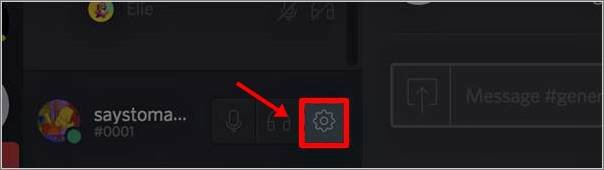
- By doing so you will be taken to the 설정 tab of the account where you will have to enter the 내 계정 section.
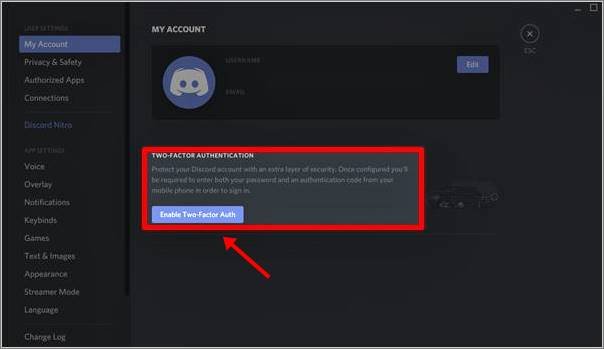
- Within this window you will have to select the option Enable Two-Factor Auth.
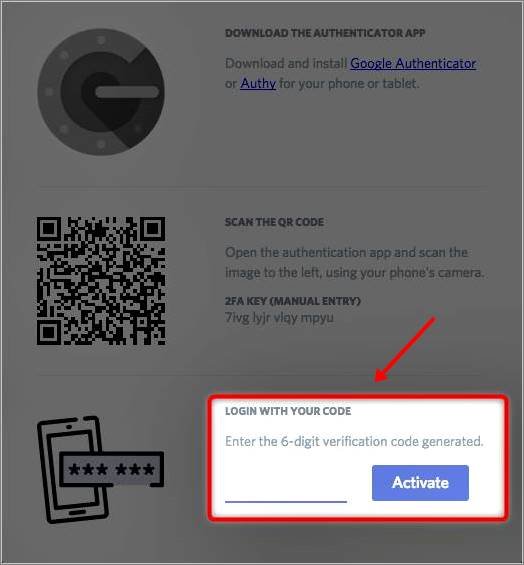
- To continue with the authentication process you will have to use an application such as Google 인증기 on your mobile.
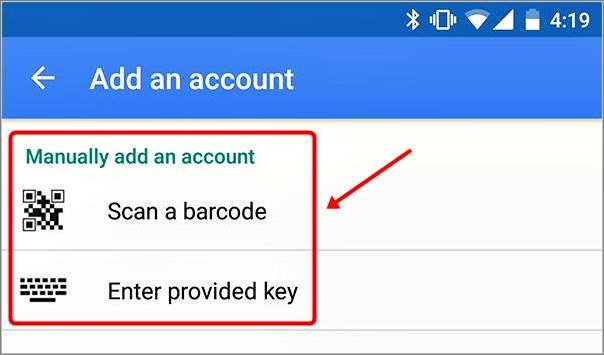
- If you have already downloaded and installed it on your computer, you will see two different options to add a new service: Scan a barcode or type the Key provided.
- You can select any of these options, although scanning the QR code is usually easier and faster.
- Once you have scanned it you will receive a 6 digit code from the Google Authenticator app.
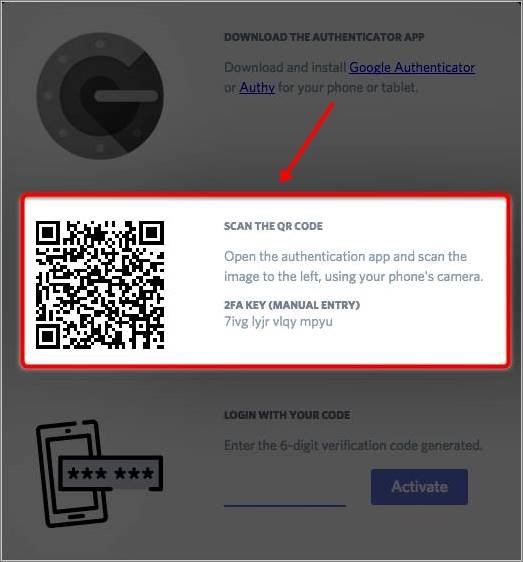
- Write this code in the field marked on the Discord page.
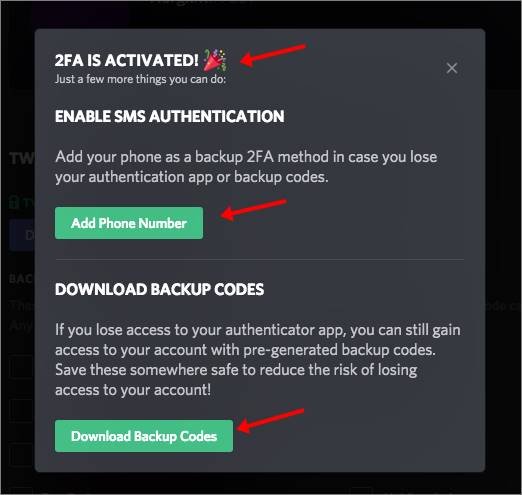
- Two-step authentication is now enabled.
- A popup window will appear allowing you to add your phone as a backup to the 2FA, plus you can also download a series of emergency codes.
- We recommend that you add your phone and keep these codes in a safe place so that you do not have problems accessing your account in case you cannot use the application.
There, now you know how to activate and configure two-step authentication for Discord. This is a highly recommended security measure and, as you can see, it's really easy to set up and use. So you really don't have a good reason not to use it.
 한국어
한국어  Español
  繁體中文
繁體中文  Deutsch
  日本語
日本語  English
  Français