
How to play music on discord? - Complete step by step guide
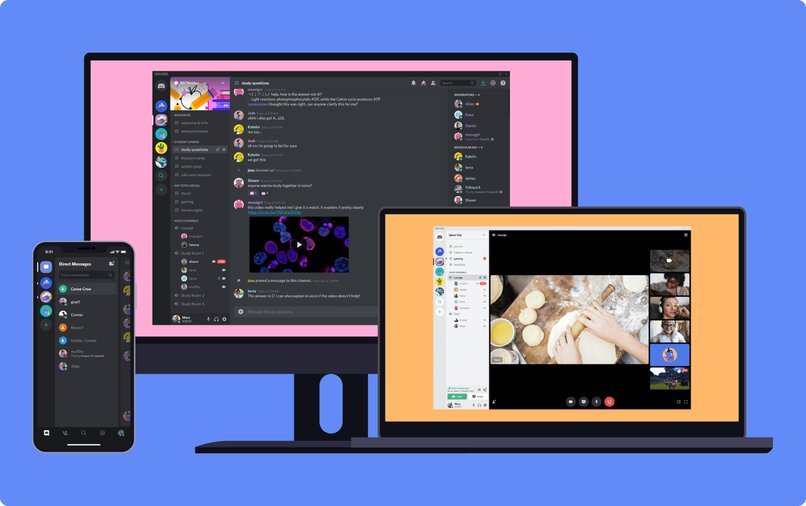
As we know discord is a service that works through different servers, in this way we can use it for different activities, allowing us to share the screen, and also to use it in several computers.
It works as an instant messaging platform, video chat and text chat, therefore, it contains voice and text channels. It is available for Windows, iOS, MacOS, and Linux devices.
Effective methods to play music through discord
There are several methods to play music through discord, this will also depend on what device we are using at the moment, we can do it using and installing a bot, or simply connecting it with our Spotify account.

In order to add a music bot to the discord, we must follow the following steps:
- We locate ourselves in the platform 'Discord' and in the left inferior part, we will see an icon with the symbol '+', we must press there, in order to create a new server in our Discord.
- Then, we place a name to the server, indicate our region, and click on 'create'.
- Then we have to go to a bot's website, once there, we click on 'add' or 'invite'.
- Now we log in to our Discord account.
- When we are going to log in, we must choose a server for our 'music bot', we perform the verification, and in this way we will have added the bot.
Another method is to play music through discord but in a call, as follows:
- First we must enter the Groovy website, once there we locate the 'purple button' that will appear when we enter, which indicates 'add to discord'.
- Then we must choose a server, we 'click' on 'authorize' and verify that 'we are not a robot' in the captcha pop-up box on the platform.
- Then we must enter the 'voice channel' and join, then we can ask 'Groovy' to help us play a song, of course with the bot, at the time of speaking, we must do it clearly, expressing the song we want to hear, it's that simple, quickly and automatically it will be played.
If we have a device with Android operating system and we want to play music through discord, we must do the following:
- We must enter the discord bots website, and locate in the tab that indicates 'music', so we can visualize the list of music that is available.
- Then we click on 'view' to generate the necessary information about the bot, followed by clicking on 'invite' on the bot we have decided to use.
- Then we open the session in our Discord account, when we do this, the page will redirect us to the page or website of the chosen bot, where we will have to choose the appropriate server to play the music.
- We click on 'authorize' and of course we verify the identity in the captcha.
Immediately the bot will be installed, then we go to the menu of our Discord account, locating us in the exposed list of the different servers, we look for the bot that we have chosen previously. - Then we enter a voice channel, to join, and there we indicate the commands to the bot to finally play the music.
We can also play our favorite music in the discord but through a 'microphone in our pc', working in the same way with Groovy and of course indicating the command. But to achieve this, we must make some necessary configurations in our pc as they are:
- We go to the control panel of our pc.
- We located in the section that indicates 'hardware and sound', later we press in the option that indicates 'to administer the audio devices', and we enter to 'recording'.
- Several options will be displayed, among them, we must click on 'stereo mix' and click on 'enable'.
- Finally we configure the microphone as default and we will be able to enjoy the music with Groovy and of course in voice chats.
But instead, if we have iOS operating system device, we must fulfill the following steps to be able to play music through the discord:
- To do this we must use the bot called MEE6, therefore we have to make the necessary configuration.
- We enter the official MEE6 platform, and log in to our Discord account.
- We proceed to the 'bot authorization' so that it can then access our account.
- We must choose the server we want to be added to the bot, which in this case is MEE6.
- We go to the menu, click on the 'add-ons' option, then on 'music', and then on 'add'.
- Then we choose the voice channel we want to join.
- Once this is done, we must in the search bar, we must write '!search' and then enter the name of a favorite song, or failing that, the name of the artist we want to listen to at the moment, automatically the bot will be responsible for displaying the results already listed.
- Then we must enter the 'number of the song we have searched for' and add it to our playlist within the discord.
- Finally to play it we just type the word '!play' in the bar, and the song will be played quickly.
How can I play music on discord with a bot?
In order to play music on the discord, it is not a complicated process, we only need to follow the following steps:
- Having an active Discord account, we then proceed to the creation and activation of a server.
- Then, we choose and install a music bot of course for the server we have already created previously.
- We then go to the option that indicates 'invite' and press there, which means that we will be adding a bot to our server.
- Finally we 'activate the bot' and we can listen to the song we want, also add it to our playlist within the discord.
Install Rythm bot on the computer
Within the Discord platform, the most known music bot among many is Rythm, so it is good to know how to get it, install it and use it to play music:
- We must first enter the Rythm bot web page, we are located on the right side of the screen, where we see an option that indicates 'add to discord', we press there.
- Once this is done we will have to access our Discord account, and then choose the server to which we want the bot to be added.
- Then we must click on 'authorize' and then check the captcha box 'I am not a robot', this is done to verify our identity so we can generate the necessary access, immediately the bot will be added to the chosen server.
- We open the Discord platform, and we must choose the server where we have made the installation of the Rythm bot.
- Then we join a 'voice channel', to search for a song we must write 'play' followed by the name of the song or the artist we are looking for, press 'enter', effectively start the search, and therefore the reproduction.
How many music sources can the 'Rythm' discord bot support?
As we know, there is a long list of different bots that we can use when playing music in the discord, each of them with similarities, but in itself, they have different functions and capabilities.
In this case we talk about the Rythm bot, being the most used by users at the time of reproduction, having a great capacity in terms of sources. When using it we can play music from YouTube, Twich or SoundCloud, working in a simple and effective way without crashes.
It should be noted that we can enjoy this bot for free, however, there is also the Premium plan, based on improving the sound as well as the duration of all songs.
What other way can I use to play music on the discord?
From searching for songs with commands, to using the Groovy bot, but it is also possible to play music in the discord through Spotify, performing a necessary access and configuration at the time of accessing the platform.
Configuring Spotify with Discord
The configuration will depend on the device we are using, if we want to connect and play Spotify with Discord Mobile, we must follow the following steps:
- We have to log in to our Discord account from our device, either with iOS or Android operating system.
- We slide our finger to the 'right' side to display the menu of the various channels and servers to choose from.
- Then we go to the 'our account icon', located in the lower right corner of our screen, and click there.
- We can see that a menu of options will be displayed, where we choose the one that indicates 'connections', by clicking on it.
- When we do this we click on 'add', on the icon located in the upper right corner.
- A series of applications will appear in the list, look for 'Spotify', and click on it to start the connection and access.
- There we will be redirected to another web page, where we are asked to enter our Spotify account credentials, and then log in. In the same way, here we can log in either with our Facebook or Google account.
- Immediately the Discord platform will ask us for permission to access, we press 'accept'.
- Finally our Spotify account will be connected to Discord, in case we want to disconnect it, we just need to go to the 'connections' option and make the necessary configuration.
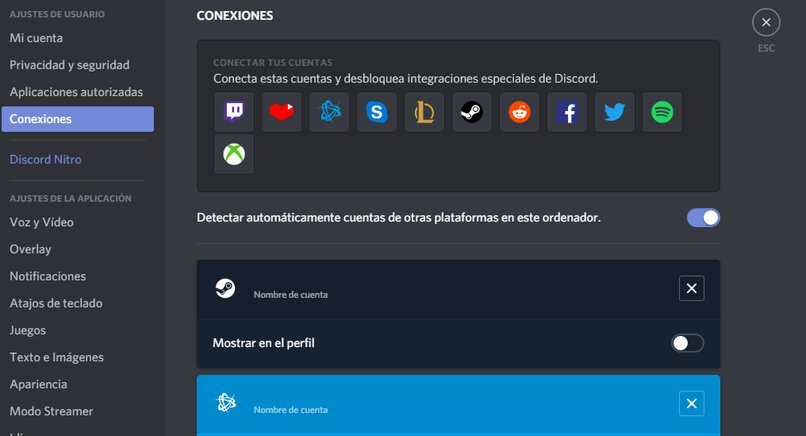
In another case, if we are using the Discord desktop application, then we must do the following to make the connection to Spotify:
- We open the Discord application, either if we have it installed or we can do it from the browser.
- We go to 'user settings', we can see this option easily, as it is indicated by a 'gear' visibly next to our name within the platform, at the bottom left.
- Then we click on 'connections'.
- When we press there, we are presented with a series of options in a list, among them, the one that indicates 'connect accounts', we must select the 'Spotify' icon in this case.
- Finally we duly log in to the Spotify account, perform the verification and that's it.
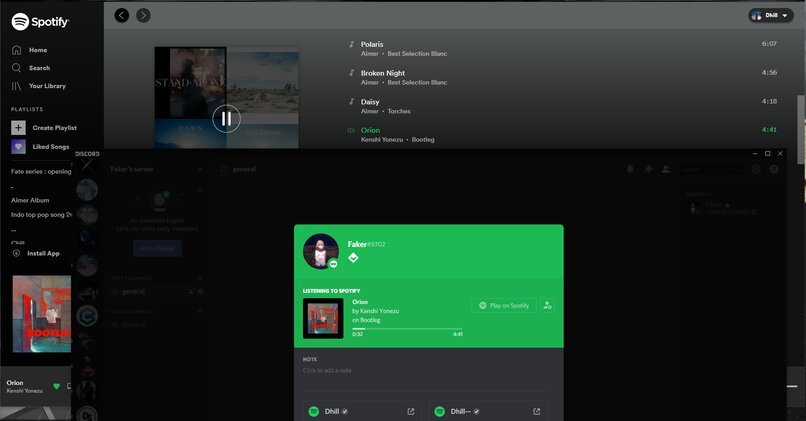
What is the correct way to connect Spotify to my Discord?
All the ways are correct depending on the device that we use at the moment of the reproduction, nevertheless, the general way to make the connection is the following one:
- First of all, if we do not have the Discord application downloaded, we must do it, in order to continue with the following steps.
- Once downloaded we have to log in to our account or create an account in case we don't have one.
- When we open it we can visualize a menu, in the left part of the screen.
- We will have several options, we click on the one that indicates 'Spotify', and we press there.
- Immediately we will be redirected to a web page, where we must register or log in to our Spotify account to create the connection and access.
- Spotify will ask for verification and then access is complete.
 日本語
日本語  Español
  繁體中文
繁體中文  Deutsch
  한국어
한국어  English
  Français